Usually no — using your work Outlook account for external career fairs is not the best default if you are exploring new opportunities. It can expose your job search to employer-managed systems, create awkward visibility problems, and mix your current job with future-opportunity communication.
If the event is internal, sponsored by your employer, or clearly part of your current role, it may be fine. For outside career fairs, a separate job-search email is usually the safer and cleaner choice.
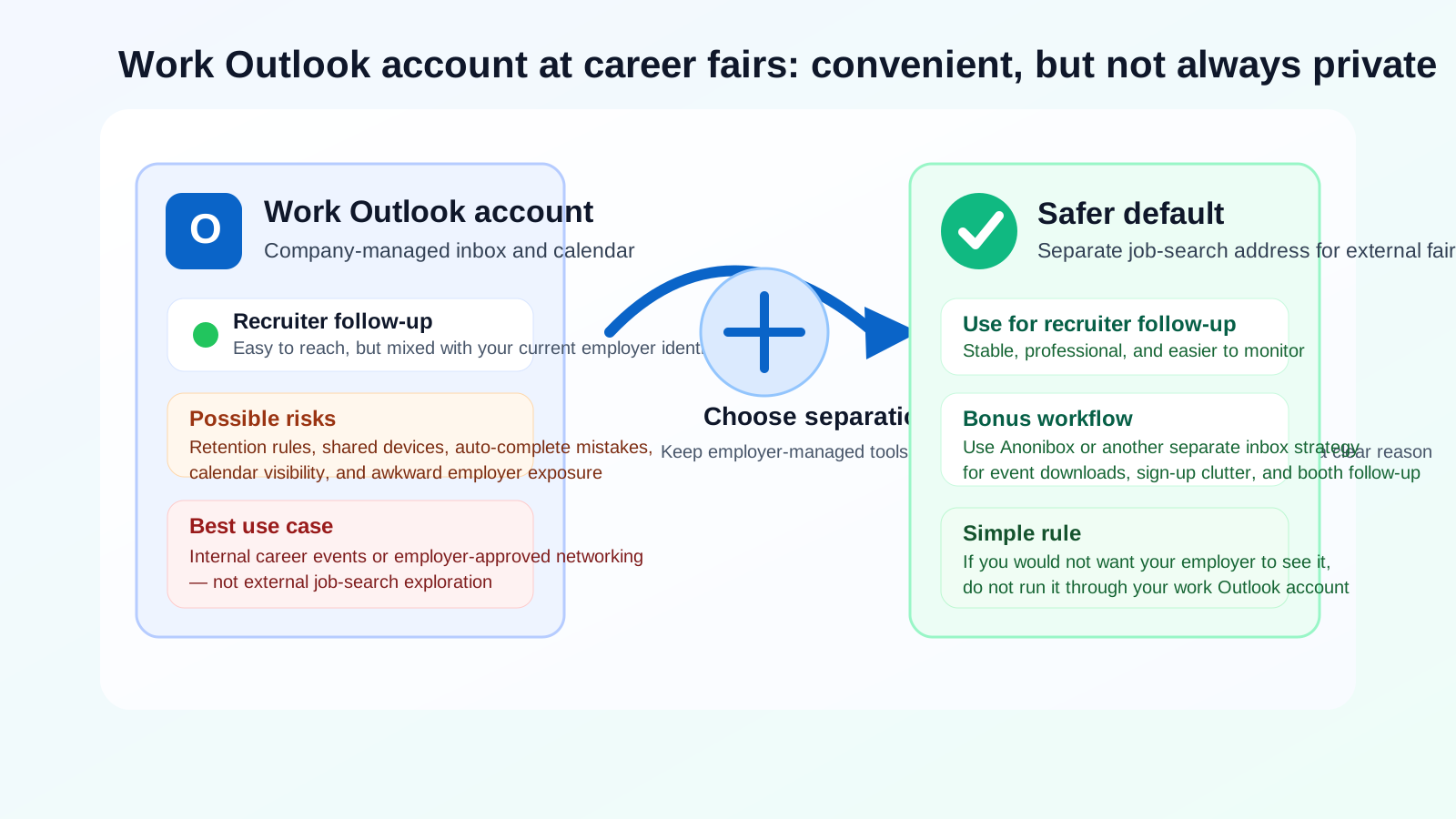
Why people think about using their work Outlook account at career fairs
It is easy to see the appeal. Your work Outlook account is already open. You probably check it every day, your calendar is already there, and it feels more organized than an older personal inbox you barely use. If a recruiter says, “What is the best email to reach you after the fair?” the work address may be the first one that comes to mind.
There is also a professionalism argument that sounds reasonable on the surface. A work address may look polished, current, and tied to a real employer. For some people, especially those who do not have a separate job-search inbox set up, it feels simpler than explaining another address or creating one on the spot.
The problem is that convenience and privacy are not the same thing. What feels easy in the moment can create a mess later if recruiter messages, interview scheduling, and résumé follow-up start flowing through an employer-managed account.
Short answer: for external fairs, it is usually a bad default
If you are attending a public, university, industry, or third-party career fair because you want to explore opportunities beyond your current employer, your work Outlook account is usually the wrong inbox to use. Even if nobody at your company is actively watching your email, the account still lives inside systems you do not fully control.
That matters because job-search communication is often sensitive long before you reach the offer stage. A casual follow-up email from a recruiter, an invitation to book a screening call, or a calendar attachment for an interview can reveal more about your plans than you intended.
What can go wrong if you use your work Outlook account?
Employer-managed retention and device access
Most work Outlook accounts exist inside Microsoft 365 environments controlled by your employer. That can mean retention policies, managed devices, admin logging, synced calendars, mobile device management, and shared support access. None of that guarantees someone is reading your messages, but it does mean the account is not a private personal space.
If you are communicating with recruiters through that inbox, you are placing sensitive career activity inside infrastructure that belongs to your current employer. Even if nothing dramatic happens, that is usually more exposure than you need.
Auto-complete mistakes and internal visibility
Career-fair follow-up is often fast and messy. You might forward a recruiter email to yourself, reply from your phone while multitasking, or attach a résumé update in a hurry. Work accounts make it easier to send something from the wrong identity, copy the wrong person, or let Outlook auto-complete an internal contact instead of the recruiter.
Those mistakes are not theoretical. When people mix personal job-search activity with work tools, small habits create leaks: calendar invites in the wrong place, recruiter names appearing in search suggestions, or messages sitting in a shared device notification history.
Calendar exposure and meeting confusion
Career fairs often lead to quick follow-up calls, mini interviews, or “pick a time” links. If you route those conversations through your work Outlook account, they can collide with your work calendar, your corporate meeting habits, and your normal availability settings.
That creates two problems. First, you may accidentally reveal more of your schedule than you want. Second, you can end up scheduling recruiter conversations in a system designed for your employer, not your personal search. A separate email and separate calendar are usually much easier to manage.
Long-term account loss
Even if you do not leave your current job soon, work accounts are temporary by definition. If you change roles, get locked out, or leave unexpectedly, you may lose access to threads that still matter. A recruiter who follows up two months later might be writing to an inbox you can no longer use.
That is a practical problem, not just a privacy problem. Career-fair conversations often move slowly. A stable personal address is better for continuity.
When might it be acceptable?
There are a few cases where using your work Outlook account is not automatically a mistake.
- Internal career fairs: If the fair is run by your current employer and you are exploring internal roles, using your work account is often normal.
- Employer-approved industry events: If attending the event is part of your job and you are networking on behalf of your current company, your work account may be the correct identity to use.
- Very limited non-sensitive follow-up: In rare cases, someone may only need to send you a brochure, session slide deck, or general resource after the event.
Even then, it helps to separate the purpose. Using a work address for professional event logistics is different from using it to explore a confidential external job search.
What should you use instead?
The best alternative is a separate, stable job-search email that you control personally. It does not need to be fancy. It just needs to be professional, easy to monitor, and not tied to your employer.
A good job-search inbox should be:
- simple and professional-looking
- checked regularly
- used only for job-search and networking follow-up
- paired with a calendar you also control personally
This gives you a cleaner boundary. Recruiter messages stay out of your work systems, and you keep access to the conversations no matter what happens with your current job.
If you also want to protect your main personal inbox from event clutter, vendor signups, and downloadable fair resources, Anonibox can fit naturally into that workflow. The key is using the right level of separation for the right task: a stable personal job-search address for real recruiter follow-up, and a more disposable inbox strategy for low-stakes event forms or one-off resource downloads where long-term spam is the bigger concern.
A practical career-fair contact workflow that keeps things separate
1. Create one dedicated job-search email
Use it on your résumé, on event registration forms that may lead to real follow-up, and in conversations with recruiters you actually want to hear from again.
2. Keep a separate calendar for follow-up calls
This avoids mixing recruiter calls with employer meetings and makes it easier to see your real availability without exposing work scheduling patterns.
3. Save a short introduction note
At career fairs, people often ask for your preferred contact info quickly. Have a simple answer ready: “The best email for follow-up is [your address].” That small bit of preparation makes you less likely to blurt out your work account out of convenience.
4. Use disposable or low-stakes inboxes selectively
If a booth wants an email for a whitepaper, webinar replay, or marketing list you are not sure you want, that is where a separate inbox strategy can help. Keep the long-term recruiter relationship in a stable address and the low-stakes clutter somewhere else.
5. Review what you handed out after the event
Career fairs generate a lot of fragmented contact points. Spend ten minutes afterward writing down who got which contact info, what roles interested you, and which conversations deserve a real follow-up email.
What if you already used your work Outlook account?
It is not the end of the world. If you already gave it out, you can still reduce the downside.
- Move future conversation to a personal address as soon as practical.
- Reply once with a clean line such as, “Please use this address for future follow-up.”
- Copy any non-sensitive details you need into your personal notes.
- Avoid forwarding recruiter threads through internal work channels.
- Be extra careful with calendar invites, attachments, and mobile notifications.
The goal is not panic. It is simply to stop building more of your job search inside a work-owned system.
Red flags that make a separate address even more important
At some career fairs, the privacy issue is not just your employer. It is also the quality of the people collecting your information. Be more cautious if:
- the recruiter cannot clearly explain the role or employer
- the booth pushes you toward texting, WhatsApp, or off-platform messaging immediately
- the contact form asks for much more data than a normal follow-up requires
- the opportunity sounds vague, rushed, or unusually high-pressure
- you are being encouraged to send sensitive documents before any real screening
In those cases, using your work account is the worst of both worlds: you expose yourself to a questionable contact and you do it through employer-managed infrastructure.
Quick checklist before your next fair
- Do I have a separate job-search email ready?
- Do I have a personal calendar for recruiter calls?
- Would I be comfortable if this message thread lived on employer systems?
- Am I giving this address to a real recruiter or just to a marketing signup form?
- Do I have a cleaner alternative than my work Outlook account?
If the answer to the third question is “no,” that is usually your signal not to use the work address.
Conclusion
So, should you use your work Outlook account for career fairs? In most external job-search situations, no. It may feel convenient, but it creates unnecessary privacy, continuity, and employer-visibility risks for something that is easy to separate with a better setup.
A dedicated personal job-search email is the safer default. It keeps recruiter follow-up under your control, protects your current workplace boundaries, and makes the rest of your search easier to manage. If you also want to avoid marketing clutter from event registrations and booth downloads, a separate inbox strategy with tools like Anonibox can help — just keep real recruiter relationships on a stable address you fully own.
That way, you stay reachable without letting your current employer’s Outlook system become the home base for your next move.