No, you usually should not use your work Outlook account for alumni networking if you care about privacy, long-term follow-up, or keeping employer-owned systems out of personal career conversations.
A personal inbox you control — or a separate networking account — is usually the better choice, because a work-managed Outlook account can expose more than you expect through signatures, calendars, device notifications, and employer retention policies.
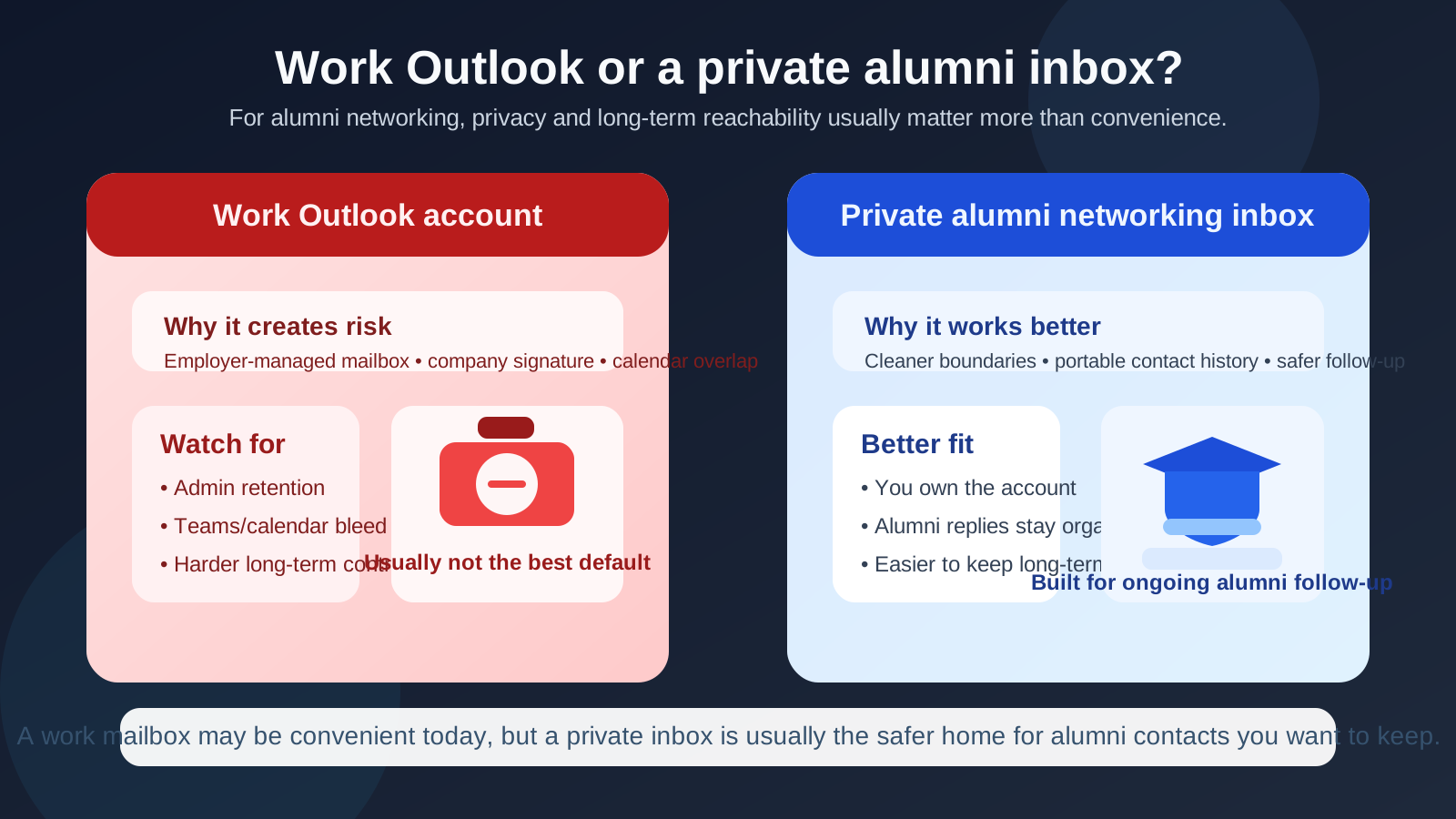
Why alumni networking needs a different standard
Alumni networking is easy to underestimate because it often starts casually. You reply to a chapter event invite, message someone from your university directory, follow up after a panel, or ask for a quick coffee chat with a graduate working in a field you want to enter. It does not feel as formal as a job application, so people often use whatever inbox is already open.
That shortcut can become messy later. Alumni conversations have a habit of turning into something bigger: a warm introduction, an informational call, a referral, a conference invite, a mentor relationship, or a note from someone who remembers you six months later when a role opens. That means the email address you use is not just a delivery detail. It becomes part of how reachable, private, and portable that relationship will be over time.
Outlook itself is not the problem. A personal Outlook account can work perfectly well for alumni networking. The issue is using the work-managed version of Outlook for conversations that belong to you rather than to your employer.
Short answer: Outlook can be fine, but work Outlook usually is not
If an Outlook account belongs to your employer, sits inside your company’s Microsoft 365 environment, or is mainly used on company-managed devices, it is usually the wrong default for alumni networking. Even if no one is actively reading your email, the account still exists inside systems you do not fully own or control.
That makes it a poor home for private outreach, especially if your alumni networking overlaps with career exploration, discreet industry relationship-building, or future job opportunities.
What makes a work Outlook account risky for alumni networking?
1. It lives inside employer-controlled systems
A work Outlook account is part of a business environment. That can include retention settings, admin access, security tooling, mobile device management, shared support processes, and company policies that have nothing to do with your personal networking goals. None of that automatically means something bad will happen. It just means the account is not purely yours.
For alumni networking, that matters. A thread about a career pivot, a quiet coffee chat, or a request for advice from someone at a target company is different from routine work email. If the relationship belongs to your personal future, it usually makes more sense to keep it out of employer-managed systems.
2. Calendar and meeting details can spill into your work environment
Alumni outreach often moves quickly from email to scheduling. Someone suggests a short call. A chapter organizer sends an RSVP confirmation. A graduate offers to meet for fifteen minutes next week. If that activity runs through work Outlook, it can bleed into your work calendar, reminders, lock-screen notifications, desktop previews, or Teams-connected workflow in ways you may not want.
The problem is not that every invite will be visible to the wrong person. The problem is that you are increasing overlap between your employer’s communication environment and your private networking life for no strong reason.
3. Company signatures and branding can send the wrong signal
Work Outlook accounts often add signatures, titles, disclaimers, company logos, and other branding automatically. That can make a simple alumni message feel like official employer outreach when it is really a personal conversation. It may also reveal more about your current role or employer than you intended to share right away.
In alumni networking, tone matters. You usually want to sound like a person making a thoughtful connection, not like someone routing a private conversation through a corporate template.
4. You may lose continuity later
The best alumni relationships often outlast your current job. If you change employers, lose access to the mailbox, or simply stop checking it after a role change, valuable threads can disappear with it. Someone who wants to reconnect later may write to an address you no longer control.
That is a real cost. Alumni networking is full of delayed follow-up. A stable relationship deserves a stable inbox.
5. Alumni ecosystems can generate more email than you expect
Directories, chapter newsletters, reunion tools, mentoring platforms, event reminders, fundraising campaigns, and sponsor emails can all create extra traffic. Some of that email is useful. Some of it is just noise. If that spillover lands in your work Outlook account, you are mixing personal networking noise with employer-managed infrastructure. That is not necessarily catastrophic, but it is rarely ideal.
Why people still reach for work Outlook anyway
The temptation is understandable:
- It is already open. Many people spend most of the day inside Outlook, so it feels frictionless.
- It looks polished. A company mailbox can seem more professional than a generic personal address.
- Scheduling feels easier. Calendar, Teams, and contacts are already in one place.
- You may be networking while employed. That can make the setup feel harmless, especially if you are not openly job searching.
Those are convenience benefits, but they are still convenience benefits. Alumni networking is usually more about long-term ownership and clean boundaries than about saving thirty seconds in the moment.
Is it ever acceptable to use work Outlook?
Sometimes, but only in narrow situations. If the networking is clearly part of your current role — for example, your employer asked you to represent the company at an alumni event, join a campus partnership panel, or coordinate a company-sponsored university initiative — then using work Outlook may be perfectly reasonable.
That is a very different situation from personal alumni outreach. If you are asking for advice, exploring a possible career change, looking for referrals, reconnecting with alumni in other industries, or keeping your next move discreet, work Outlook is usually the wrong tool.
What should you use instead?
A personal inbox you actually control
A normal personal inbox is usually the safest baseline. It does not have to be fancy. It just needs to be readable, stable, and something you actually monitor. If the account belongs to you, not your employer, you have already removed the biggest structural problem.
A separate networking inbox
For many people, this is the best answer. A dedicated inbox for alumni outreach, networking events, informational chats, and referral conversations keeps those relationships organized without dropping them into your oldest personal mailbox. That separate inbox could be another Outlook account, a Gmail account, a custom-domain address, or another provider you trust and check regularly.
This approach gives you cleaner follow-up, better searchability, and fewer identity mix-ups. It also makes it easier to keep alumni threads distinct from family email, bills, shopping receipts, and daily noise.
An alias or forwarding layer for noisy signups
Sometimes the real issue is not the one-to-one conversation. It is the directory, event tool, or mailing list surrounding it. In those cases, an alias or forwarding layer can help you limit direct exposure of your main networking inbox while still staying reachable.
That works best for signups and list hygiene, not as a replacement for a durable inbox once a real relationship starts.
A temporary inbox for one-off forms
If you are dealing with a low-trust RSVP form, a one-time event gate, or a directory preview where you only need a confirmation email and do not expect a lasting relationship, a temporary inbox can be the cleaner option. That is where a tool like Anonibox fits naturally. It helps keep your permanent inbox out of spam-heavy workflows without forcing you to treat every alumni contact as disposable.
The key is to switch to a stable address when the interaction becomes real.
Best practices for alumni networking email
Keep the durable relationship on a durable address
If an alum becomes a useful long-term contact, make sure the relationship lives on an inbox you control and expect to keep.
Use a simple professional signature
You do not need corporate branding. Usually your name, a short identifying line, and maybe a LinkedIn profile are enough. The goal is clarity, not unnecessary polish.
Separate list intake from real follow-up if needed
It is fine to use one setup for newsletters, event confirmations, or broad alumni directories and a different stable inbox for actual conversations. That gives you privacy without losing continuity.
Check the account consistently
Alumni replies rarely arrive on your ideal schedule. The best inbox in the world is not helpful if you only check it every few weeks.
Watch for accidental account mix-ups
If you use multiple inboxes, double-check sender identity, saved signatures, and calendar defaults before you reply. That small habit prevents avoidable confusion.
A quick decision checklist
- Is this conversation mine, or is it genuinely part of my current employer’s work?
- Would I be comfortable if this thread lived inside my employer’s communication environment?
- Could I lose access to this address later?
- Do I need a long-term relationship here, or just a one-time confirmation?
- Would a separate personal inbox give me better control with very little extra effort?
Final answer
No, you usually should not use your work Outlook account for alumni networking. Outlook as a platform is fine, but the employer-managed version of it creates unnecessary privacy, visibility, and continuity risks for conversations that belong to your personal network.
If the relationship matters, use an inbox you control long-term. If the interaction is just a one-off form or noisy signup, tools like aliases or Anonibox can help reduce exposure. The important thing is not to let short-term convenience turn into long-term dependence on a mailbox that was never really yours.