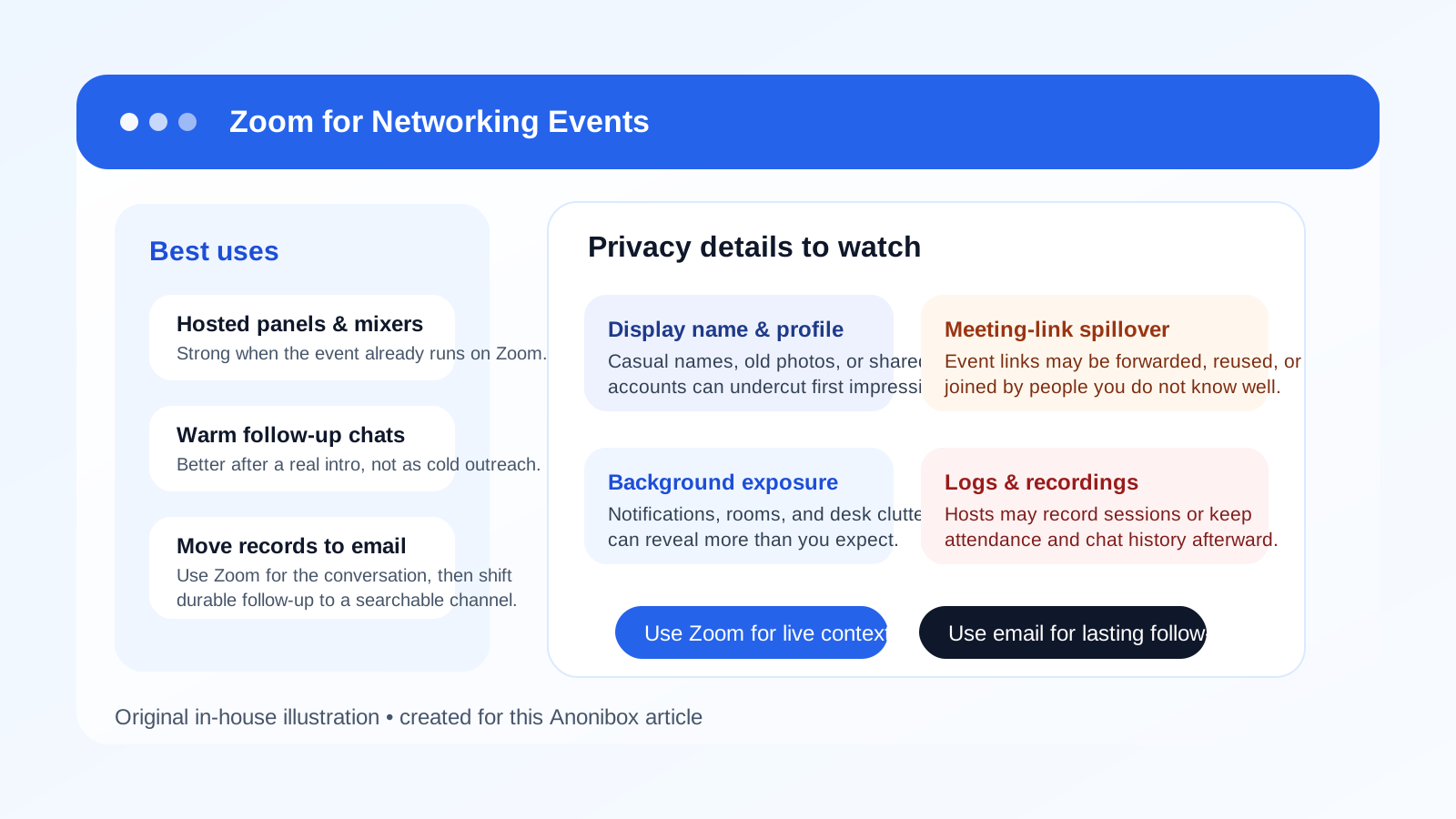
Yes, you can use Zoom for networking events when the event is structured around live conversations, panels, breakout rooms, or warm introductions—but it should not be your automatic default for every new professional connection. Zoom can feel more credible than casual chat apps, yet it still exposes account details, meeting-link habits, and personal environment cues if you use it carelessly.
For most networking situations, Zoom works best after there is clear context: a hosted event, a real organizer, or a legitimate follow-up conversation. If you want cleaner privacy and better long-term records, use Zoom for the conversation itself and email or LinkedIn for the durable follow-up.
Why Zoom comes up at networking events
Networking events are not all the same anymore. Some are in-person meetups with digital follow-up. Others are fully virtual gatherings with breakout rooms, speed networking, office hours, founder roundtables, alumni mixers, recruiting sessions, or community Q&A. In many of those formats, Zoom is the default meeting layer because people already know how to join, mute, chat, and move through a hosted session.
That familiarity matters. If an organizer wants to bring together dozens of people quickly, Zoom usually creates less friction than making everyone install a niche networking app. It can support speaker sessions, one-on-one conversations, and small-group intros without feeling too experimental.
But convenience is only half the story. Networking events often involve strangers, semi-public attendance lists, forwarded invites, and fast follow-up. That means Zoom is not just a video tool. It is part of your broader privacy and professionalism setup.
The short answer: Zoom is strong for hosted conversations, weaker for cold follow-up
Zoom works well when there is a real event structure around it. If you are joining a moderated session, a recruiter office hour, an alumni mixer, a startup community roundtable, or a post-panel small-group discussion, Zoom can be perfectly appropriate. It feels professional enough, supports real conversation, and gives both sides a clear time boundary.
It works much less well when you are trying to force a quick video call too early. If you just met someone once, or if the event relationship is still vague, asking to “hop on Zoom” can feel heavier than a short email or LinkedIn message. In networking, the best channel is often the one that matches the level of trust already built.
When Zoom is a good choice for networking events
Organizer-led virtual events
If the event itself is run on Zoom, there is not much mystery here. Using Zoom is normal because it is part of the official format. Panels, workshops, employer spotlights, mentor sessions, and member mixers often depend on a shared live room. In those cases, the question is not whether Zoom is weird. The question is whether you are using it carefully.
Warm introductions after a real interaction
Zoom becomes much more natural once you have already talked to someone. Maybe you met in a breakout room, chatted after a panel, or got introduced by a mutual contact during the event. At that point, a short Zoom follow-up can feel useful instead of intrusive because the relationship already has context.
Small-group networking where face-to-face conversation matters
Some networking formats depend on nuance, quick rapport, and shared discussion. A live video call can help more than text when the goal is to exchange ideas, ask thoughtful questions, or get a feel for whether you want to stay in touch. Zoom can also be better than a noisy event chat channel when the conversation deserves full attention.
Time-boxed career conversations
If the event offers short office hours, advisor sessions, mentor chats, or recruiter Q&A, Zoom is usually a practical tool. A 15-minute live conversation is often more efficient than trying to trade six messages back and forth after the event.
Where Zoom creates privacy and professionalism risks
1. Your account identity may reveal more than you intend
Many people forget that Zoom surfaces identity details fast. Your display name, profile photo, and even the email account tied to your calendar flow can shape first impressions before you say a word. If your Zoom setup still reflects a casual nickname, an old photo, a household account, or a work-managed identity, that becomes part of the networking interaction.
For networking events, you usually want a simple professional version of your name and a neutral setup. That sounds basic, but it is one of the easiest mistakes to miss.
2. Meeting links can travel farther than you expect
Networking events are social by nature. People forward invites, share registration links, and move between sessions quickly. A Zoom link may end up in more inboxes or chat threads than the organizer originally intended. That does not automatically make the event unsafe, but it does mean you should assume the room may include people you do not know personally.
This matters if you plan to share personal details, talk openly about a quiet job search, or assume a conversation is more private than it really is. In a networking setting, a Zoom room is better treated as semi-public unless the host clearly says otherwise.
3. Your background and notifications can expose your personal life
Networking events often happen from home, coworking spaces, hotel rooms, or temporary desks. That makes accidental exposure easy. Family photos, mail on a table, browser notifications, calendar pop-ups, or reflected screens can reveal more than you want strangers, recruiters, or event hosts to see.
A clean background, notification control, and basic pre-call setup do more for privacy than people sometimes realize.
4. Hosts may record, monitor, or keep attendance logs
Many legitimate event organizers record sessions, export attendee lists, save chat transcripts, or review registrations later. None of that is unusual. It is how virtual events often operate. But it means Zoom leaves traces. If you are networking while quietly exploring a career change or being selective about visibility, you should assume your attendance and participation may be logged somewhere.
That does not mean you should avoid Zoom entirely. It just means you should be intentional about what you say, what name you use, and which account you bring into the room.
5. Zoom is not the cleanest channel for long-term follow-up
Zoom is great for the live conversation. It is less good as the main record afterward. Once the event ends, you still need a durable way to exchange notes, share links, send a résumé, answer questions, or continue the relationship. That is where email or LinkedIn usually becomes the better home.
What is usually better than Zoom for first follow-up?
Email for durable, searchable communication
If the event led to a promising conversation, email is often the best next step. It gives both sides a clean written record, makes links and attachments easier to manage, and avoids the pressure of asking someone into another live meeting too soon.
This is also where separation helps. For event registrations, sponsor downloads, waitlists, and low-trust access links, some people prefer a separate inbox so their main address does not end up buried in event marketing and vendor follow-up. A tool like Anonibox can fit that stage naturally. But once the relationship becomes real, a stable email address is usually the better place for meaningful ongoing contact.
LinkedIn for professional context
If you met someone briefly and want to keep the connection lightweight, LinkedIn is often easier than scheduling another Zoom. It preserves context, reminds the person where you met, and lets them respond without committing to another live conversation right away.
Event-native chat for simple logistics
If the event already runs on Slack, Discord, Teams, or another community platform, that may be the simplest place for quick logistics. Zoom is better for the actual conversation than for “what time is the roundtable?” type messages.
How to use Zoom for networking events without unnecessary exposure
1. Clean up your Zoom identity before you join
Check your display name, profile image, and account behavior in advance. Use the version of your name you would want a recruiter, founder, mentor, or peer to remember. Remove anything casual or confusing.
2. Treat networking rooms as semi-public by default
Even if the room feels friendly, remember that you may not know everyone there, and the host may be recording or logging participation. Share thoughtfully. Speak professionally. Avoid assuming that a networking session is the same as a private call with a trusted friend.
3. Control your visual environment
Use a neutral background or blur, frame the camera cleanly, and silence pop-up notifications. Small setup choices protect both privacy and professionalism.
4. Do not use your work-managed Zoom account for a private search
If you are attending networking events while exploring new opportunities quietly, a work-managed account can create unnecessary visibility. A personal or separate professional setup is usually safer than bringing employer-linked tools into a space that may involve recruiters, peers, or future employers.
5. Move good conversations to a better long-term channel
If you have a productive Zoom conversation, follow up afterward in email or LinkedIn. That gives the connection a stable place to continue and keeps the important details from disappearing into event notes or memory.
6. If you host, use a fresh link and clear boundaries
If you are the one sending the Zoom invite for a follow-up networking chat, use a clean meeting name and a fresh link rather than a messy permanent room. That reduces confusion and feels more intentional.
A few realistic examples
- Good use: You join an industry association roundtable that officially runs on Zoom, ask a smart question, and send a short email afterward to one speaker you connected with.
- Good use: A mentor you met in a breakout room offers a 15-minute Zoom follow-up later that week, and you use a clean display name and neutral background.
- Weak use: You message a stranger after an event and immediately ask them to hop on Zoom before any real context exists.
- Weak use: You attend a networking event from a work-managed account while trying to keep your career exploration private.
- Mixed use: You join the event on Zoom, but move all serious follow-up to email within a day so the relationship has a searchable record.
A quick Zoom networking checklist
- Use a clear professional display name.
- Check your camera framing and background.
- Mute notifications before joining.
- Assume hosts may record or log attendance.
- Do not overshare personal job-search details in semi-public rooms.
- Use email or LinkedIn for the real follow-up afterward.
Final verdict
So, should you use Zoom for networking events? Usually yes—when the event is genuinely built for live conversation and you control the identity and privacy details Zoom exposes. It is often more professional than casual chat apps and more natural than endless back-and-forth messaging when a real conversation is the point.
But Zoom is not the universal answer to professional follow-up. Use it for structured sessions, warm introductions, and short live conversations. Then move worthwhile connections to email or LinkedIn, where records are cleaner and boundaries are easier to manage. That gives you the upside of live networking without turning every new contact into unnecessary personal exposure.