Yes — AOL Mail can work for data broker removal services if you use a clean, separate AOL address that you monitor for confirmations, support replies, billing notices, and rescans.
It is usually a better choice than a throwaway inbox once the service relationship becomes ongoing, but reusing an old AOL account tied to years of personal logins is often the wrong move.
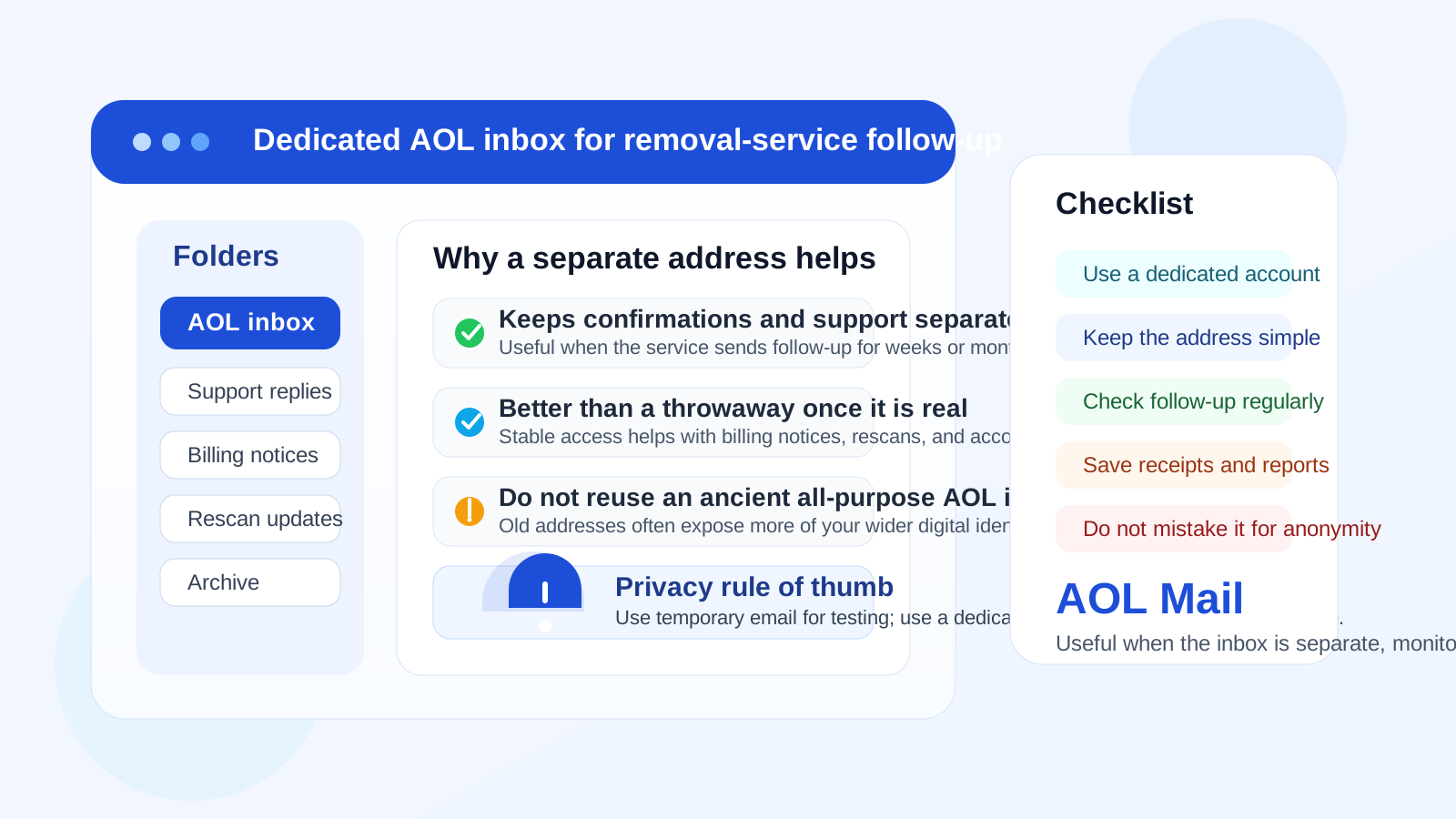
That is the practical answer behind searches for AOL Mail for data broker removal services. The inbox you attach to a privacy service matters more than it first appears. Data broker removal services can send signup confirmations, broker-match reports, opt-out progress updates, support replies, receipts, renewal reminders, and account security messages over time. If you use an address that is too temporary, you may lose access to messages you actually need. If you use an old inbox that is deeply tied to your wider online history, you may expose more of your identity than you intended.
AOL Mail sits in the middle. It is a real long-term inbox, which is good for ongoing follow-up. But many AOL addresses have been around for years, and that creates a specific privacy problem: the older the account, the more likely it is connected to shopping accounts, social profiles, newsletters, recovery flows, and old personal contacts. So the real question is not simply whether AOL Mail is acceptable. It is whether the specific AOL inbox you want to use gives you enough separation, enough continuity, and enough control.
Why the email choice matters for data broker removal services
People use data broker removal services because they want less exposure, not more. That makes the signup inbox part of the privacy decision. The service may need a reachable address for verification and follow-up, but you do not have to hand over the same mailbox that anchors the rest of your digital life.
At the same time, this is not always a great use case for a fully disposable inbox. Many removal services are not one-click tools. They can involve repeated scans, support questions, billing messages, and reminders to check progress later. That means you need a balance: enough privacy to reduce unnecessary exposure, and enough stability to keep the account usable over time.
AOL Mail can work in that balance if you treat it as a deliberate compartment, not just a random address you already happen to own.
Where AOL Mail helps
1. It gives you a stable inbox for long-tail follow-up
One advantage of AOL Mail is that it is a normal persistent inbox. If a removal service sends a status message next month, or support replies later than expected, you still have a mailbox that should be there. That is much more practical than relying on a temporary inbox that may expire or fall off your radar after the initial signup.
2. A separate AOL account can create useful compartmentalization
If you make a dedicated AOL address for privacy-related services, you get a cleaner boundary between everyday life and removal-service traffic. That matters because inbox separation is often the simplest privacy improvement people actually maintain. A separate address lets you keep confirmations, opt-out reports, and support messages in one place instead of mixing them into the same inbox that handles personal correspondence, family threads, shopping receipts, and account recovery notices.
3. It is familiar and easy to keep checking
A clever setup is not helpful if you stop using it. For some people, a mainstream provider they already understand is easier to manage than a brand-new privacy tool they barely open. If you know you will reliably check AOL Mail, search it, and keep important messages organized, that predictability is useful. The best inbox is often the one you will actually monitor when something important arrives.
4. It looks like a normal long-term contact address
Data broker removal services are not interviewing you, but they still often operate on the assumption that your account email is real and durable. A standard AOL address looks like a conventional long-term inbox. That can be better operationally than using a short-lived address for a service that may keep contacting you after signup.
Where AOL Mail can be the wrong choice
Using your oldest personal AOL address can expose too much
This is the biggest issue. Many AOL accounts are old. If the inbox has been with you for years, it may already be tied to a huge amount of personal history. That does not automatically make it unsafe, but it does make it less ideal for a privacy workflow. A long-running inbox can act like a strong identifier across many parts of your online life. If your goal is compartmentalization, handing over that old address weakens the whole point.
An overloaded inbox makes follow-up harder, not easier
If your AOL mailbox is packed with newsletters, promotions, old spam, and random subscriptions, important updates from a broker-removal service can get buried. The service relationship may be privacy-focused, but the workflow still depends on noticing messages when they arrive. A cluttered inbox creates avoidable friction.
AOL Mail is not a privacy guarantee by itself
Using AOL Mail does not make you anonymous, and it does not prove that the service itself deserves trust. You still need to evaluate the provider, its billing terms, the kind of follow-up it sends, and whether the overall workflow is worth linking to your personal data. The inbox can reduce exposure, but it does not replace judgment.
If you will not keep checking the account, the setup fails
A separate inbox only helps if it remains part of your routine. If you create a new AOL account and then forget it exists, you may miss verification links, support replies, or notices that require action. Stability matters, but so does discipline.
When AOL Mail is a good fit for data broker removal services
- You want a real long-term inbox rather than a throwaway address.
- You are willing to use a dedicated AOL account instead of your oldest all-purpose one.
- You expect the service to send updates over weeks or months.
- You want a simple mainstream inbox you can monitor consistently.
- You care more about practical separation than about using a niche privacy-branded provider.
In those cases, AOL Mail can be a perfectly workable option. The main win is not the provider name itself. The win is using a separate, readable, monitored account that keeps removal-service traffic away from the inbox tied to everything else you do online.
When AOL Mail is probably not the best choice
- You only want to test a low-trust service or compare sign-up flows without committing a real inbox yet.
- Your existing AOL address is old, noisy, and deeply connected to your broader identity.
- You rarely check AOL Mail and are likely to miss follow-up.
- You want stronger alias control than a basic separate mailbox workflow gives you.
- You are trying to reduce identifiers as much as possible in the early evaluation stage.
In those situations, a temporary inbox or an alias-based setup can make more sense at the beginning.
AOL Mail vs temporary email
This is where the decision gets clearer. Temporary email and AOL Mail solve different parts of the problem.
- Temporary email: better for low-trust signups, early testing, or one-off lead forms where you want to receive a verification link without exposing a long-term address yet.
- AOL Mail: better once the service becomes real, ongoing, and likely to send follow-up you may need later.
A practical workflow is to start with temporary email when you are still deciding whether a service deserves access to you at all. A tool like Anonibox can help at that stage by giving you a disposable inbox for early exploration. If the service proves legitimate and you choose to keep using it, moving to a stable dedicated inbox such as AOL Mail can make more sense for account continuity.
That way, you are not forced into an all-or-nothing choice. You can use a disposable inbox for low-trust exploration and a stable mailbox for long-term administration.
AOL Mail vs Gmail, Outlook, and privacy-focused providers
AOL Mail is not the only reasonable option. A separate Gmail or Outlook account can work well if your main goal is convenience and familiarity. Privacy-focused providers such as Proton Mail, Fastmail, Mailfence, or StartMail may appeal more if you want different organizational features or a stronger privacy-first posture.
Still, the provider comparison is often less important than the account strategy. A badly reused Gmail inbox can be worse than a clean separate AOL inbox. A privacy-branded provider you never check can be less effective than a mainstream provider you actually maintain. The best setup is usually the one that gives you clear separation, stable long-term access, and a realistic habit of monitoring messages.
Best practices if you use AOL Mail for data broker removal services
Create a dedicated account if possible
If you are serious about privacy boundaries, do not default to the ancient AOL address already attached to half your online life. A dedicated account gives you better separation and makes it easier to understand why messages are landing there.
Keep the address plain and professional
Even though this is not a job-search workflow, a simple address is still easier to manage and trust. Use something clear rather than an old nickname or a string of random characters you will not remember.
Save important messages and receipts outside the inbox too
Email should not be your only record. If a removal service sends broker-removal reports, billing receipts, or support instructions, save copies in a folder you control. That makes the workflow less fragile if you later change providers or need to reference something quickly.
Check the inbox on a schedule
During active signup or support periods, check it daily. Later, a weekly review may be enough. The point is to make the inbox intentional rather than invisible.
Do not confuse separation with invisibility
A separate AOL mailbox can reduce inbox overlap, but it does not erase other personal data you may share with a removal service. Use the inbox as one piece of a broader privacy workflow, not as a magic shield.
A quick decision checklist
- Am I using a dedicated AOL account, or my oldest personal address?
- Do I expect ongoing updates from this service after signup?
- Will I reliably monitor this inbox if support or billing messages arrive later?
- Am I still testing a low-trust form where temporary email would make more sense first?
- Does this setup give me cleaner separation from my main digital identity?
If your answers point toward long-term follow-up and a dedicated account you will actually monitor, AOL Mail can work well enough. If the answers point toward an ancient cluttered inbox or a low-trust signup you have not evaluated yet, it is probably not the best choice.
Final answer
AOL Mail can be a good fit for data broker removal services when you use a separate AOL account as a stable, monitored inbox for confirmations, updates, and support follow-up. It is usually not the best idea to reuse an old AOL address that is already tied to years of personal activity, because that weakens the privacy boundary you were trying to create in the first place.
If you are still in the testing phase, temporary email is often the smarter first step. If you have decided the service is real and worth maintaining, a dedicated AOL inbox can be a practical middle ground between a throwaway address and your main personal mailbox.