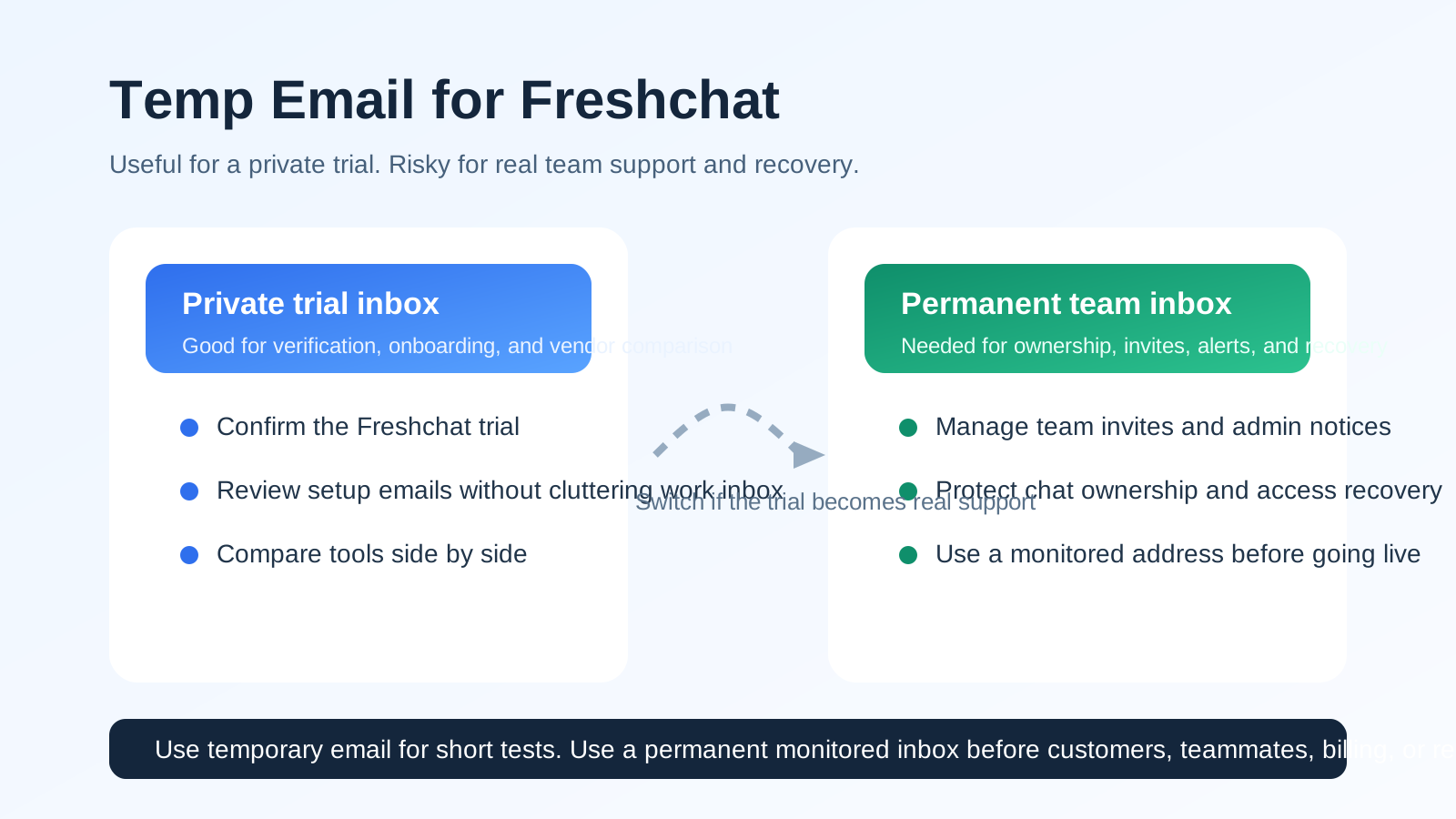
A temp email can work for a quick Freshchat trial or private sign-up, but it becomes risky once team inboxes, visitor conversations, ownership rules, or account recovery depend on that address.
If you only need to verify the account, test the widget, and keep vendor follow-up out of your main inbox, temp email for Freshchat is reasonable for a short evaluation. Just do not leave a disposable address in place after the account starts handling real customer support.
Why people consider a temp email for Freshchat
Freshchat sits in a category of software where the early sign-up looks simple, but the long-term email choice matters more than many teams expect. During the trial stage, you might only need one address to confirm the account, receive the welcome email, and review the first setup steps. That makes a disposable inbox feel convenient.
The appeal is easy to understand. If you are comparing multiple customer messaging or support tools in the same week, your main inbox can fill up with onboarding campaigns, webinar invites, demo nudges, product updates, sales follow-ups, and “just checking in” emails almost immediately. A temporary address gives you a clean buffer. You can learn what the product looks like without committing your permanent inbox to another long email trail.
That is especially useful if you are testing Freshchat alongside platforms such as Intercom, Tidio, Crisp, LiveChat, HelpCrunch, Chatwoot, or other support tools. When each trial has its own inbox, it becomes easier to keep account links, first-run messages, and evaluation notes organized.
Short answer: yes for a trial, no for a real support setup
If your only goal is to open a temporary workspace, verify the email, and inspect the product, a temp email is usually fine. It helps you keep the evaluation separate from your everyday work inbox and limits how much vendor email reaches your long-term address before you know whether the platform deserves a serious review.
But the moment Freshchat starts becoming operational, the trade-off changes. Support tools are not casual consumer sign-ups. They quickly become tied to team access, conversation history, notifications, ownership, and recovery. A disposable address is a weak foundation for that kind of account.
When using a temp email for Freshchat makes sense
There are several situations where a temporary inbox is practical and low risk:
- Private product evaluation: you want to explore the dashboard before sharing your main work email.
- Side-by-side tool comparison: you are testing more than one live-chat or support platform and want a separate inbox for each trial.
- Early vendor screening: you are not sure the product is a fit yet and do not want months of follow-up email if you decide against it.
- Short internal review: one person is checking the setup before involving the broader team.
- Sandbox-style testing: you only need the account long enough to inspect onboarding, widget setup, and general workflow.
In those cases, the account is still disposable in practice, so using a disposable inbox is not a big problem. You are gathering signal, not setting up a permanent customer support operation.
When it becomes a bad idea
Freshchat stops being a simple trial the moment real work depends on it. That can happen faster than expected. Once the inbox begins touching customers, teammates, or account administration, a temporary address creates avoidable risk.
1. Team inboxes need stable ownership
If multiple people will log in, review chats, assign conversations, or manage settings, the primary account should belong to a monitored long-term inbox. A disposable address is easy to lose and hard to hand off responsibly.
2. Chat history and follow-up matter
Live chat is not just a sign-up flow. It turns into real conversation history, visitor context, and operational follow-up. If the original account email disappears, recovering access or tracing important admin messages can become harder than it should be.
3. Invites, notifications, and admin alerts should not vanish
Support platforms often send workspace notices, invite links, password resets, login alerts, and other important messages over time. Those are exactly the messages you do not want tied to an inbox that expires or is not monitored consistently.
4. Billing and account changes need a permanent contact point
If the trial moves toward a paid plan, billing questions, plan changes, renewal notices, or compliance-related messages should go to an address your team controls long term. A burner inbox is the wrong place for that.
5. Account recovery is too important to improvise
The biggest mistake is forgetting that the email on the account is often the recovery path. Losing it may not hurt during a one-hour product tour. It absolutely can hurt once the tool becomes part of real support operations.
A safer way to use temp email for Freshchat
If you want the privacy benefit without the long-term downside, use a two-stage workflow.
- Open the trial with a temporary inbox. This keeps the first verification email and onboarding sequence away from your main address.
- Do the first evaluation quickly. Check the interface, widget flow, inbox layout, notifications, and setup complexity while the trial is still isolated.
- Decide whether the platform is a real contender. If the answer is no, let the trial go. If the answer is yes, switch the account to a permanent monitored address before the workspace becomes operational.
- Invite teammates only after the switch. That keeps ownership clean and reduces the chance of building internal workflow around a temporary inbox.
This is where a service like Anonibox fits naturally. It is useful for the short evaluation stage because you still receive the verification email and early setup messages, but you are not forced to give every vendor permanent access to the inbox you use every day.
What to review during the Freshchat trial
If you are going to use a temp email for Freshchat, make the trial count. The inbox choice is only there to support the evaluation. The real question is whether the product works for your team.
Inbox and assignment flow
Look at how new conversations arrive, how ownership is shown, and how easy it is to see what still needs action. If the trial already feels messy with very little volume, that is a useful warning sign.
Widget and visitor experience
Test the website chat widget from a visitor perspective. Is it fast? Clear? Easy to understand? A support tool should reduce friction, not create more of it at the first point of contact.
Agent workflow
Review what an agent would actually do all day: reply, reassign, mark status, search older conversations, and follow up. Flashy features matter less than whether the day-to-day workflow feels dependable.
Internal handoff practicality
Even a short trial can reveal whether the product supports team collaboration well. Think about how easily one person can pass a conversation to another without losing context or creating confusion.
Notification quality
Pay attention to which messages arrive by email and when. That helps you judge how important the account inbox will become if the tool goes live.
Common mistakes to avoid
- Leaving the temp inbox in place too long: what begins as a trial can quietly become the production account.
- Inviting teammates before switching the admin email: that creates messy ownership from the start.
- Forgetting to save important setup links: temporary inboxes are best treated as short-lived, not archival systems.
- Using the same disposable inbox for every vendor: that defeats the organizational benefit and makes evaluation harder to track.
- Judging the product only by onboarding emails: the real value is in the workflow, not the nurture sequence.
Better alternatives if the trial looks serious
If Freshchat is moving beyond a casual test, a separate permanent work alias is usually better than a disposable inbox. That gives you privacy and separation without losing recovery access or team continuity.
For example, many teams use a dedicated evaluation inbox, a support-software alias, or a role-based address that can be monitored by more than one person. That approach keeps vendor communication organized while still giving the business long-term control of the account.
In other words, temporary email is excellent for filtering noise at the very start, but a stable address is better once the platform starts touching customers or internal processes.
Quick decision checklist
- Are you only opening Freshchat for a short private review?
- Do you want to avoid adding another vendor sequence to your main inbox?
- Are no teammates relying on the account yet?
- Have you planned when to switch to a permanent address if the trial goes well?
- Would losing the inbox create any recovery or ownership problem later?
If the first three answers are yes and the last two are under control, using a temp email is usually reasonable. If the workspace is already turning into a real support environment, switch to a permanent address immediately.
Final verdict
Temp email for Freshchat is a smart short-term privacy move when you are only testing the product, comparing vendors, or keeping early-stage sales follow-up out of your main inbox. It helps you verify the account, review the setup, and decide whether the platform deserves a deeper look.
It is not a good long-term foundation for a real support operation. Once team access, live conversations, admin notices, billing, or recovery depend on the account, a disposable address becomes more liability than convenience. Use temporary email to evaluate Freshchat privately, then move to a permanent monitored inbox before the tool becomes part of real customer communication.