Yes — Hide My Email can be a smart option for job applications if you want more privacy without using a disposable inbox. It helps reduce spam and keeps your real address out of more databases, but only if the underlying inbox is stable, monitored, and appropriate for a hiring process that may stretch for months.
It is usually better than a throwaway temp inbox for serious applications, but worse than a fully separate long-term job-search address if you expect heavy recruiter traffic or account-recovery needs.
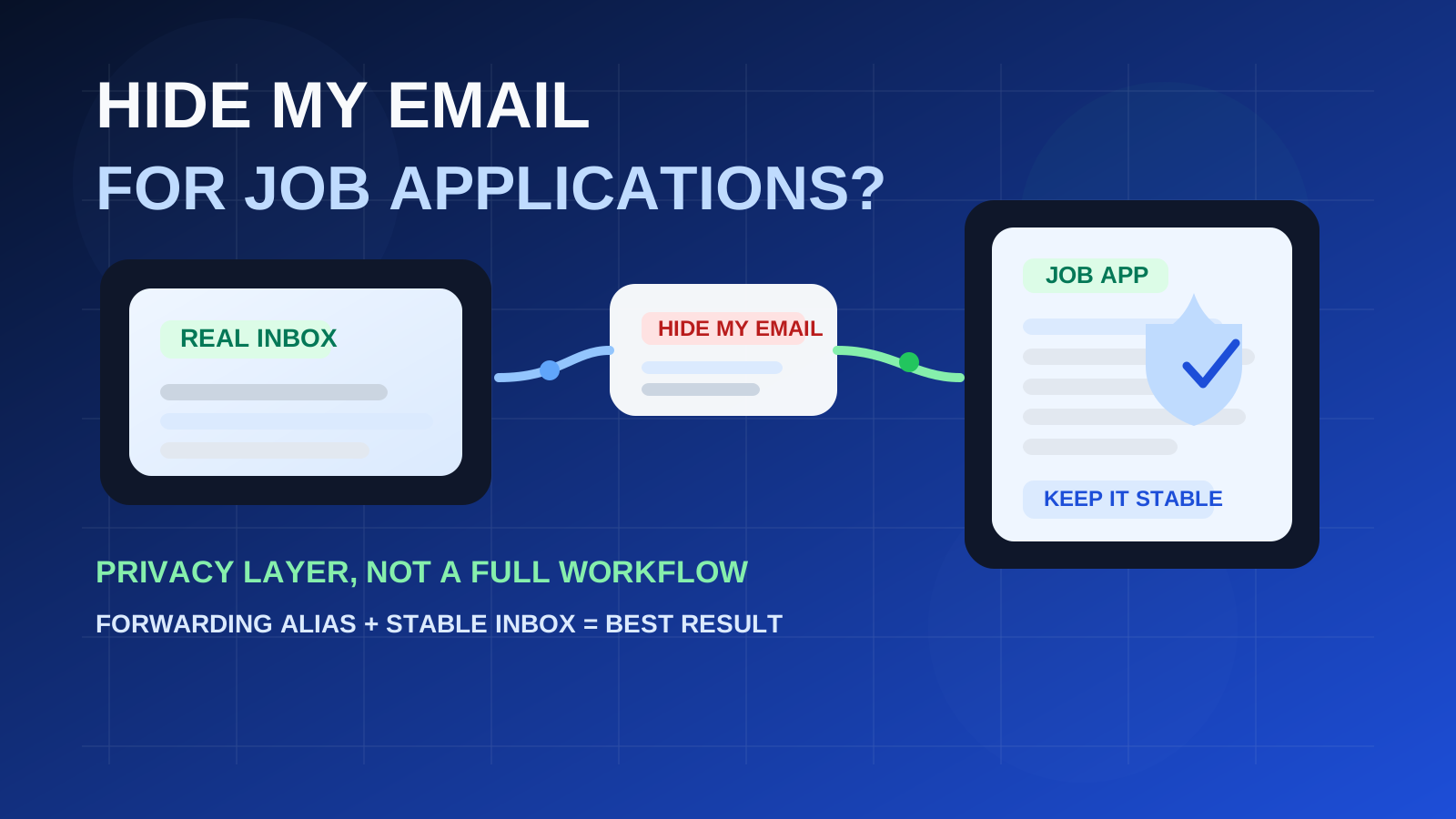
That middle-ground position is exactly why people search for this topic. Hide My Email feels cleaner than handing out a primary personal address, but it also feels less risky than using a burner or temporary email that may disappear before a recruiter replies. For many job seekers, that instinct is right: a forwarding alias can be a practical privacy tool during a search. The catch is that it is not magic. It does not give you a separate inbox, it does not fix a messy email workflow, and it does not remove the need for a professional address that you can keep for the full hiring cycle.
If you are applying to a few roles, want to limit spam, and already have a dependable mailbox behind the alias, Hide My Email can work well. If you are running a broad job search, juggling assessments and candidate portals, or expect the process to continue for a long time, a dedicated job-search email may still be the stronger setup.
What Hide My Email actually does in a job-search context
Hide My Email gives you an alias that forwards messages to your real inbox. In practice, that means employers, recruiters, and job boards can contact the alias instead of seeing your main personal address directly. From a privacy standpoint, that is useful. It reduces how widely your core inbox gets shared, sold, reused, or exposed in future outreach.
For job applications, that puts Hide My Email in a different category from pure disposable email. A temporary inbox is often best for low-stakes signups, quick portal tests, or one-off downloads. Hide My Email is closer to a managed forwarding alias: more stable, more professional-looking, and better suited to real follow-up.
That difference matters because hiring rarely stops at one message. Even a simple application can lead to screening questions, interview scheduling, assessment links, benefits forms, or a delayed follow-up weeks later. You need something that protects privacy and stays dependable.
Short answer: when Hide My Email is a good fit
- You want privacy without looking disposable.
- Your real inbox is stable, professional, and checked regularly.
- You are applying through job boards or company forms that may create future marketing noise.
- You want a layer between your main address and recruiter databases.
- You are comfortable keeping the alias active for as long as the hiring process lasts.
In those situations, Hide My Email can be a very reasonable choice. It can reduce spam exposure while still letting you receive real hiring messages reliably.
Where it can fall short
1. It is not a truly separate inbox
This is the biggest practical limitation. The alias forwards into your real mailbox, so your search still lands in the same place eventually. If your main inbox is cluttered, poorly filtered, or shared across too many parts of your life, Hide My Email does not solve that. It only masks the address you hand out.
If your goal is clean separation, a dedicated application inbox is often stronger. That is why a guide like using a separate email for job applications remains useful even for people who like aliases.
2. It depends on your underlying account strategy
A forwarding alias is only as reliable as the mailbox behind it. If the real inbox is old, neglected, overloaded with promotions, or tied to a setup you may stop using, your alias is not as safe as it looks. The alias may hide your main address from employers, but it still depends on that inbox for every reply, every interview request, and every recovery link.
3. It can complicate long-term continuity if you change habits mid-search
Problems start when people use one alias for the application, then later answer from a different address, disable aliases too early, or forget which company has which alias. Recruiters generally care about getting a response, not about your alias architecture, but a messy handoff can still create friction.
4. It does not protect you from every kind of outreach
Hide My Email can help protect your real address, but it does not stop every form of follow-up. Once you submit a resume, a phone number, or a LinkedIn profile, employers may still contact you through other channels. It is one privacy layer, not a complete job-search shield.
How it compares with other job-search email options
Hide My Email vs temporary email
For serious job applications, Hide My Email is usually safer than a disposable inbox. A temporary inbox can expire, get lost, or feel unreliable if a recruiter replies later. That is why fully disposable inboxes are usually better reserved for low-stakes browsing, alerts, or one-off signups. If you want the broader tradeoffs, the site already covers temporary email for job applications.
Hide My Email vs a burner email
A burner inbox can still be useful, but it carries more recruiter-trust and continuity risk than a forwarding alias. Hide My Email generally looks less throwaway because it functions like a normal contact route rather than a mailbox you might abandon quickly.
Hide My Email vs a separate dedicated email
A dedicated application inbox is still the cleanest option for people running a broad or serious search. It gives you privacy, full separation, filtering control, and long-term stability. Hide My Email is often more convenient, but a dedicated inbox is usually more organized.
Hide My Email vs a generic email alias
Functionally, Hide My Email sits close to the broader idea of using an alias. The main difference is that it is a specific branded privacy feature rather than a general mail setup. If you are comparing the concept more broadly, using an email alias for job applications is the nearest companion topic.
When Hide My Email makes the most sense
It tends to work best in the middle of the privacy spectrum:
- Direct company applications: good when you want privacy but still expect legitimate follow-up.
- Recruiter outreach forms: useful when you want to avoid giving your main address to every recruiter database immediately.
- Job board exposure: helpful if you expect listings, newsletters, or sales-style follow-up after you submit information.
- Early-stage applications: strong when you are still screening roles and do not yet want every employer to have your primary address.
It is especially sensible for people who want more control than a raw personal address gives them, but who do not want the fragility of a disposable inbox.
When you should probably use something else
- You are applying at high volume and need strong inbox organization.
- You expect long hiring timelines with repeated logins, attachments, and account recovery needs.
- You want every job-search message in its own place rather than mixed into your everyday inbox behind an alias.
- You are worried you may disable, forget, or stop managing the alias setup later.
- You need a stable professional identity that stays unchanged across resumes, follow-ups, interviews, and offer paperwork.
In those cases, a dedicated address can be better than hiding your main one behind forwarding.
Recruiter perception: will it look strange?
Usually not. Most recruiters care more about whether you respond promptly than about the exact mail plumbing behind your address. If the visible alias looks normal and your communication is clear, Hide My Email generally does not create the same suspicion that a random-looking temporary inbox can create.
The bigger risk is not perception. It is process control. If you miss replies, change addresses midstream, or forget which alias you used where, that can create more trouble than the alias itself.
Best practices if you decide to use Hide My Email for job applications
1. Make sure the real inbox behind it is strong
Your underlying inbox should be professional, stable, and monitored daily. If it is messy, fix that first. The alias cannot rescue a neglected mailbox.
2. Keep the alias active for the full hiring cycle
Do not think of this as a one-day signup trick. A company may come back weeks later. If you are going to apply through an alias, treat it like a legitimate contact route until the process is truly over.
3. Track which employers got which address
If you use different aliases or privacy layers for different applications, keep a simple note. That way you know which company is contacting which route, and you can spot spam or leaked sourcing more easily.
4. Use it with a separate phone strategy if privacy matters a lot
Email is only one part of the exposure. If you want a cleaner boundary, pairing an alias with a separate number is often more effective than focusing on email alone.
5. Move to a stable long-term address if the process becomes sensitive
If you reach offer-stage paperwork, onboarding, or a role that may require future logins and recovery messages, it can be worth consolidating onto a permanent address you fully intend to keep. Make that transition deliberately and clearly rather than letting it happen by accident.
A practical decision checklist
Before you use Hide My Email on an application, ask:
- Will I still control and monitor the underlying inbox months from now?
- Do I want privacy from recruiter databases and job-board reuse?
- Is this a real application process, not just a one-off download or alert signup?
- Would a dedicated job-search inbox be cleaner for this search?
- Am I likely to keep the alias active and organized for follow-up?
If the answers are mostly yes, Hide My Email is probably a reasonable tool. If not, use a more stable setup from the start.
Where Anonibox fits in
Anonibox is more useful at the disposable end of the spectrum: low-stakes signups, quick tests, early research, and situations where you specifically do not want to expose a lasting address yet. Hide My Email sits a step closer to a serious application workflow because it preserves a forwarding path to your real inbox. That makes the two tools complementary rather than identical.
Final takeaway
Hide My Email can be a good choice for job applications when you want more privacy without sacrificing real follow-up. It is usually more dependable than a throwaway temp inbox, and it can reduce how widely your primary address spreads during a search.
But it is not a full replacement for a clean long-term job-search email strategy. If your search is active, high-volume, or likely to stretch out, a dedicated inbox may still be the better answer. Think of Hide My Email as a smart privacy layer — not a reason to stop managing your application workflow carefully.