Should you use public Wi-Fi for job interviews? Usually no. Public Wi-Fi is a poor default for interviews because it can add security, privacy, and connection-quality problems at exactly the moment you need a clean call.
If you can, use your own hotspot or home connection instead. Public Wi-Fi can work in a pinch, but it should be a fallback plan, not your main setup.
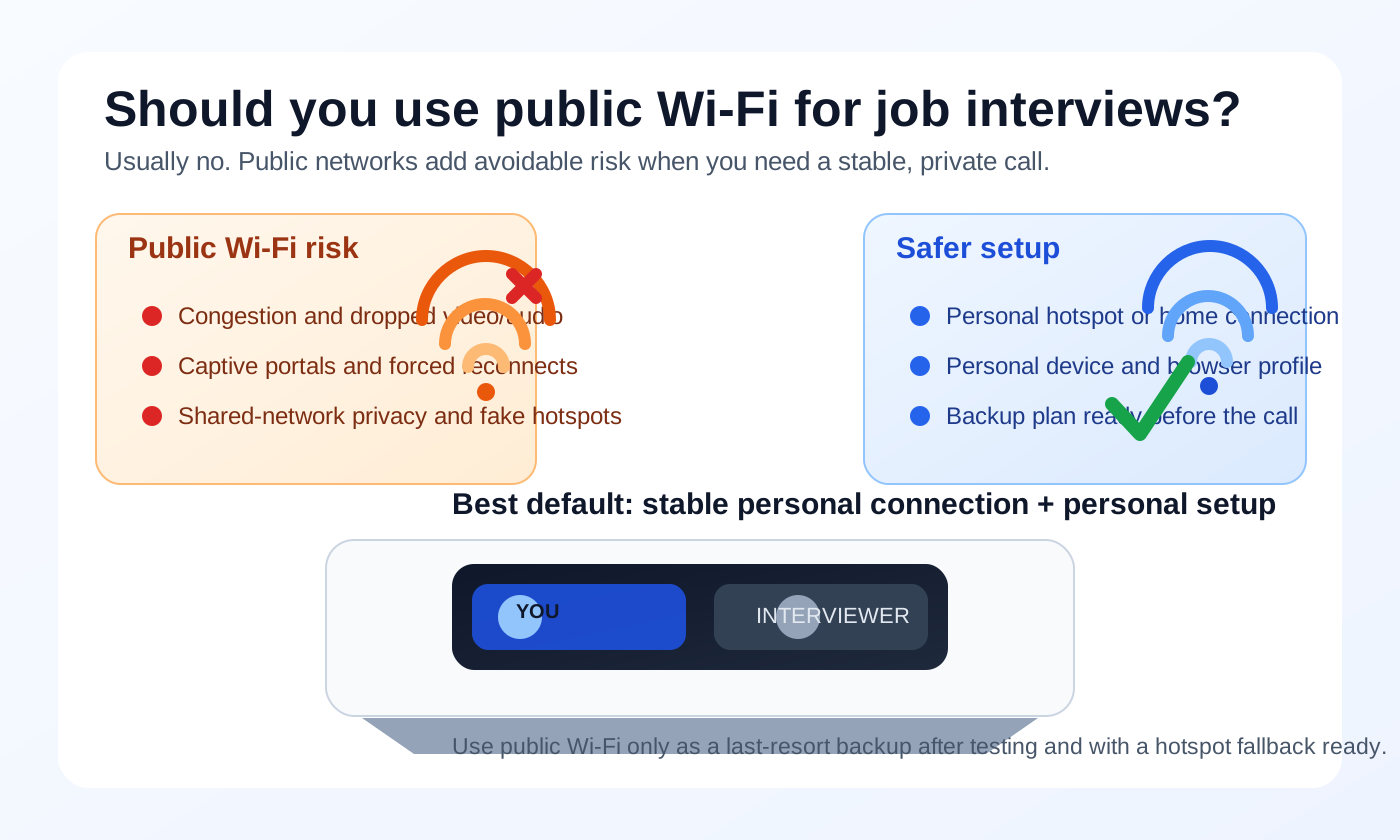
That short answer matters because a job interview is not just another casual internet session. You are relying on live audio, stable video, working browser permissions, timely screen sharing, and a setting where you can think clearly instead of troubleshooting. Public Wi-Fi may seem convenient in a cafe, hotel, airport lounge, coworking space, or library, but convenience is not the same thing as a good interview environment.
There is also a privacy angle. Interviews often involve your real name, your email, your résumé, meeting links, recruiter messages, and sometimes follow-up documents or coding exercises. A weak setup can create both technical friction and unnecessary exposure. If you are already trying to keep your job search discreet, the network you choose deserves more attention than most people give it.
Short answer: avoid it if you can
Public Wi-Fi is best treated as a last resort for job interviews, not a default. The main reason is reliability. A small delay, forced reconnect, login splash page, or flaky upload speed can make you sound unprepared even when the problem has nothing to do with you.
The privacy and security risks are real too, but most candidates feel the reliability pain first. Interviews are high-pressure, time-sensitive conversations. Even a brief disruption can break the flow, make you miss a question, or force an awkward restart.
Why public Wi-Fi is different from your own connection
On your own home internet or personal hotspot, you control more of the environment. On public Wi-Fi, you usually do not. The network may be crowded, rate-limited, poorly configured, or shared with dozens of strangers streaming video, syncing backups, or downloading large files.
Public networks also tend to come with more unknowns:
- Captive portals: networks that make you accept terms or sign in before you can browse.
- Session timeouts: connections that quietly expire and force a reconnect.
- Bandwidth congestion: heavy usage from other people on the same network.
- Fake or misleading hotspots: especially in hotels, airports, conferences, or busy public places.
- Physical privacy problems: the network is public, and often the space around you is too.
None of that means public Wi-Fi is unusable for everything. It means it is a weak choice for a live conversation where timing, clarity, and trust matter.
The biggest interview-specific problems on public Wi-Fi
1. Call quality can fail at the worst possible moment
Job interviews are sensitive to latency, jitter, and packet loss. You do not need a full outage for things to go sideways. Slight lag can make you talk over the interviewer. Choppy audio can force repetition. Frozen video can make your body language disappear right when you are trying to build rapport.
This is one reason public Wi-Fi is more problematic for interviews than for something like checking email. A recruiter message arriving ten seconds late is annoying. Your answer cutting out halfway through a technical question is worse.
2. Login splash pages and reconnects create avoidable chaos
Some public networks drop long sessions, ask you to reconnect after inactivity, or redirect traffic through a login page without much warning. That is annoying during normal browsing. During an interview, it can derail the whole meeting.
Even if the platform reconnects automatically, the interruption can break the flow. You may miss the first half of a question, lose your screen-share state, or come back flustered. A hiring team may be understanding, but you still do not want to hand random network behavior that much control over an important conversation.
3. Shared-network privacy is limited
Modern meeting platforms usually use encryption, so people on the same network cannot simply read or listen to everything in a simplistic way. But that does not make public Wi-Fi a private environment. Shared networks can still expose more metadata and create more opportunities for observation, misconfiguration, or malicious behavior than a private connection you control.
At a minimum, you are relying on infrastructure you do not own and cannot audit. If the network is poorly maintained, the risk goes up. If the hotspot is fake, the risk changes completely. And even when the technical danger is moderate rather than dramatic, it is still one more thing to worry about during an interview you would rather handle calmly.
4. Public spaces create physical privacy problems too
People often talk about public Wi-Fi as if the only issue is the network. In real life, the physical setting matters just as much. Cafes, coworking lounges, hotel lobbies, and airport gates come with noise, walk-by distractions, visible screens, and the possibility that someone can overhear your side of the conversation.
If the interviewer asks why you are looking to leave your current role, what salary range you want, or how soon you could start, that may not be something you want discussed within earshot of strangers. Network privacy and real-world privacy usually travel together here.
Is a VPN enough to make public Wi-Fi safe?
Not really. A personal VPN can help with some network privacy concerns on public Wi-Fi, and it may be worth using if you already trust it and have tested it. But a VPN does not fix the biggest public Wi-Fi problems by itself.
- It does not fix a noisy public space.
- It does not fix weak upload speed or crowded bandwidth.
- It does not prevent captive-portal interruptions.
- It does not guarantee that a browser-based interview tool will behave perfectly.
- It does not undo the risk of using a work laptop, work account, or work browser profile.
If you are on public Wi-Fi and your VPN is stable, keeping it on may be reasonable. But think of it as a partial mitigation, not a magic shield. The better solution is usually to avoid public Wi-Fi altogether for the interview itself.
Safer alternatives, ranked
If you want a practical default, these are usually better options than public Wi-Fi:
- Your home internet on a personal device: usually the most stable and private everyday setup.
- Your personal phone hotspot: often better than public Wi-Fi because you control the connection and avoid shared public infrastructure.
- A trusted private guest network: for example, a family member or friend’s home network if your own setup is unavailable.
- Public Wi-Fi with a tested backup plan: acceptable only when better options are genuinely unavailable.
The key idea is control. The more of the stack you control — device, browser, email, calendar, and network — the fewer surprises you invite into the interview.
If public Wi-Fi is your only option
Sometimes life is messy. Travel, shared housing, outages, or a sudden scheduling change can leave you with no perfect option. If you truly have to use public Wi-Fi, reduce the risk as much as possible:
- Arrive early: join the network well before the interview and make sure any login page is already cleared.
- Test the exact platform: do not assume Zoom, Meet, Teams, or browser-based interview tools will behave the same way.
- Keep a hotspot backup ready: if your phone supports tethering, be ready to switch fast.
- Use headphones: they improve privacy and reduce background noise.
- Choose the quietest corner possible: privacy is not just technical.
- Use a personal device and personal browser profile: avoid work-managed systems.
- Download key files in advance: do not depend on live public-network performance for your résumé, portfolio, or coding exercise instructions.
- Close unrelated tabs and notifications: especially anything that might pop up while screen sharing.
Those steps do not make public Wi-Fi ideal. They simply turn a weak setup into a less fragile one.
Do not confuse public Wi-Fi with privacy from your current employer
This point matters for candidates trying to keep a search confidential: using public Wi-Fi does not automatically make the rest of your setup private. If you are still joining from a work laptop, a work browser profile, a work calendar invite, or a work email account, the deeper privacy problem remains.
The better approach is to keep the whole interview stack personal. That means your own device, your own browser profile, your own network, and your own communication channels. If you already use a separate inbox strategy for early recruiter messages or one-off scheduling — for example, using Anonibox to keep exploratory conversations out of your main inbox — keep that same separation mindset during the interview stage too. The network is only one part of the trail.
Practical examples
Low-risk setup
You join from your personal laptop at home, on your own internet, with your interview link already tested. That is boring in the best possible way. Boring is good when the goal is a clean interview.
Better emergency setup
You are traveling, so you take the interview from a quiet hotel room using your personal phone hotspot instead of the hotel’s guest Wi-Fi. That is often safer and more predictable than trusting shared network infrastructure.
Higher-risk setup
You take the call from a busy cafe on public Wi-Fi with no backup connection, weak headphones, and a browser full of open tabs. Even if it works, you are accepting a lot of unnecessary failure points.
A quick pre-interview checklist
- Am I on a personal device rather than a work-managed one?
- Am I on a private connection I control, or do I have to rely on public Wi-Fi?
- If I must use public Wi-Fi, have I tested the exact meeting platform on it?
- Do I have a hotspot backup ready?
- Are my files downloaded and easy to reach offline?
- Are my notifications, unrelated tabs, and saved work accounts out of view?
- Would I feel comfortable if this environment became less stable than expected?
If several answers make you uneasy, adjust the setup before the meeting starts.
The bottom line
You usually should not use public Wi-Fi for job interviews unless it is your only realistic option. The biggest problem is not abstract paranoia. It is that public Wi-Fi adds unnecessary reliability, privacy, and environmental risk to a conversation where you want as few surprises as possible.
If you can, use a personal device on your home internet or your own hotspot instead. And if you cannot avoid public Wi-Fi, test everything early, keep a backup ready, and simplify the rest of your setup so the network is the only variable you are managing.