Yes — a temp email can make sense for Appical if you are only reviewing an early demo, testing the invite flow, or keeping vendor follow-up out of your main inbox. That is the clean low-stakes use case.
No — it is usually the wrong choice for real employee onboarding, preboarding tasks, reminders, team handoffs, or any account you may need to access again later. Once the onboarding journey matters, use a stable address you control long term.
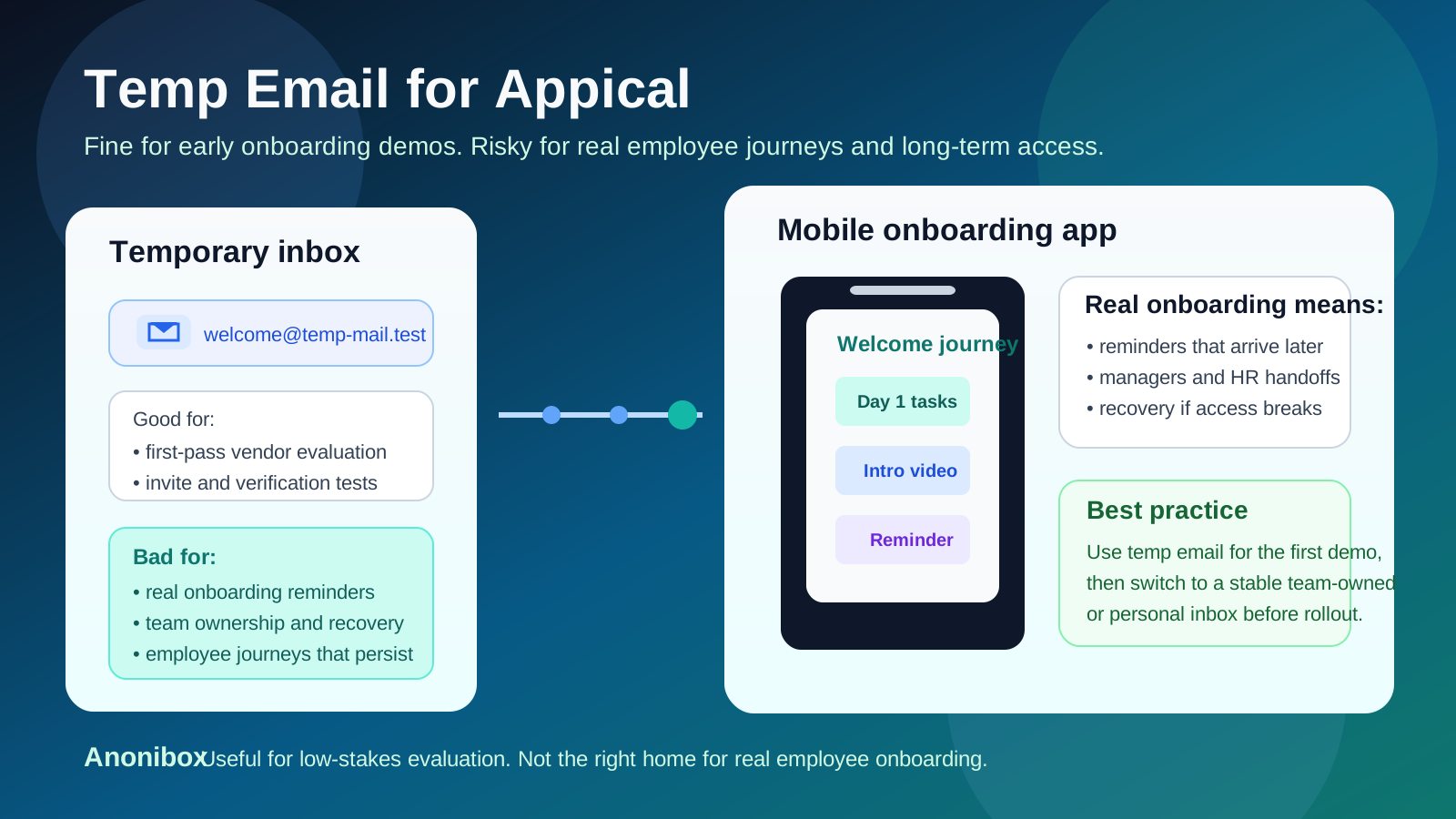
If you searched for temp email for Appical, you are probably in one of two situations. Either you are an HR, people-ops, or onboarding lead who wants to evaluate the platform without turning a quick test into months of product emails, or you are a real new hire wondering whether a temporary inbox is safe for an actual onboarding invitation. Those situations look similar on the surface, but the practical answer is very different.
Appical is built around employee onboarding and preboarding journeys, which means the email address on the account can end up tied to welcome content, reminders, tasks, links, and follow-up steps that matter beyond a five-minute demo. That is why a temporary inbox can be useful at the beginning and frustrating later. The best rule is simple: use temp email for curiosity and evaluation, not for the version of the onboarding experience you may rely on next week.
Why people consider a temp email for Appical
Most people are not trying to hide. They are trying to stay organized. Onboarding software evaluations often create a burst of messages: invites, setup prompts, welcome sequences, follow-up nudges, product updates, and sales outreach. A temporary inbox can help in a few sensible ways:
- It separates trial mail from your main inbox. If you are checking multiple HR or onboarding tools, a dedicated throwaway inbox keeps the first pass cleaner.
- It limits long-tail follow-up. Some software evaluations are useful for half an hour and noisy for months. A temp inbox reduces that downside.
- It helps you test the front door. If all you need is the invite, verification, and first-run experience, a disposable address can do that job.
- It protects your primary address during early research. That matters when you have not decided whether the platform is worth a deeper review.
Those are legitimate reasons for a quick evaluation. The trouble begins when a temporary inbox quietly becomes the contact point for a real onboarding flow, a real employee, or a team account that nobody wants to lose later.
The key distinction: demo evaluation versus real onboarding
Before you use a disposable address, decide which side of the line you are on.
Demo or buyer-side evaluation
If your team is just evaluating Appical, a temp inbox is reasonable. You may only need to receive the invite, click around the onboarding experience, view the basic setup, and decide whether the product belongs on the shortlist. In that narrow case, the account is still disposable in practice.
Real employee onboarding
If the inbox will be used for actual preboarding or onboarding, the answer changes. At that point the messages may connect to reminders, learning content, welcome tasks, timeline steps, manager handoffs, and recovery paths you may need again later. A mailbox that disappears too soon turns a simple convenience into avoidable friction.
In other words, a temporary inbox is fine for inspecting the process. It is a bad foundation for becoming part of the process itself.
When a temp email for Appical makes sense
1. You are only doing a first-pass demo
If you work in HR, recruiting, or people operations and simply want to review the invite flow and product feel, a temp inbox is usually fine. That is the cleanest Appical use case for disposable email.
2. You want to isolate vendor outreach
Maybe you are comparing several onboarding tools in the same week. Separate inboxes make it easier to remember which follow-up belongs to which product and keep your long-term mailbox from filling up with nurture campaigns.
3. The account is clearly disposable
If no real employee data is involved, no shared production workspace is being created, and the goal is simply to decide whether the platform is promising, a temporary address is a reasonable convenience.
4. You only need access for a short review
Sometimes the evaluation question is narrow: does the invite arrive, does the mobile experience feel polished, and does the onboarding journey make sense at a glance? In that short-window scenario, a temp inbox can be enough.
When it becomes a bad idea
1. A real employee will rely on the account
If the Appical account is tied to actual onboarding tasks for a real person, do not use a mailbox that may disappear. New hires may need those messages again for reminders, links, or follow-up steps after day one.
2. The workflow includes reminders, checklists, or ongoing content
Onboarding is rarely a single click. It often stretches across days or weeks. If the email address receives reminders, progress nudges, or content that supports the onboarding journey, continuity matters more than short-term inbox convenience.
3. Team access or ownership matters
Once a people-ops team, HR lead, or onboarding manager needs shared visibility, the account stops being a personal test. A disposable inbox is a poor long-term home for something multiple people may depend on.
4. Account recovery could matter later
If you lose access to the mailbox, you may also lose the easiest route to password resets, verification messages, or account recovery. That is tolerable for a throwaway demo and irritating for a real rollout.
5. Nobody remembers to switch
This is the most common failure mode. A team starts with a temp inbox for convenience, the pilot goes well, and everyone gets busy. Weeks later, a meaningful onboarding workspace is still tied to an address nobody truly owns. That is not dramatic, just messy — and completely avoidable.
Risks people underestimate
When people think about temporary email, they usually focus on spam. With onboarding software, the bigger issue is continuity.
- Missed reminders: important nudges or next steps never reach the person who needs them.
- Lost access links: the original invite or reset path disappears with the inbox.
- Confusion for HR or managers: people keep writing to the old address because it is the one on file.
- Messy account cleanup: changing the email later takes more effort once real onboarding is already underway.
- Weak ownership habits: a real team workflow ends up attached to a temporary choice made during a quick trial.
None of those problems are catastrophic on their own, but they are exactly the kinds of problems that create needless back-and-forth during hiring and onboarding.
A better workflow for HR and people-ops teams
You do not have to choose between total exposure and total avoidance. A better workflow preserves privacy early and stability later.
Use a temp inbox only for the first look
Create the account, review the invitation flow, inspect the onboarding journey, and decide whether Appical deserves deeper attention. That is a perfectly reasonable use of disposable email.
Save the useful information outside the inbox
If the demo is promising, capture the important details somewhere durable right away: what the onboarding journey did well, what felt clunky, what integrations or handoffs still need review, and who else on your team should look at it.
Switch to a durable address as soon as the tool survives the shortlist
If Appical becomes a serious candidate, move ownership to an inbox your team actually controls. For some teams that means an HR operations mailbox. For others it means a shared alias with clear accountability. Either way, make the change early.
Keep evaluation and real onboarding separate
A disposable demo account should stay disposable. If the tool becomes real, create a real ownership path for the version that will matter in production.
A better workflow for employees and new hires
If you are the employee or candidate receiving an actual onboarding invitation, the safest move is simple: use a normal email address you can still access easily from your phone and laptop.
- Choose an address you check regularly.
- Archive important onboarding emails in a dedicated folder.
- If you need to change addresses, ask the employer early rather than halfway through the process.
- Do not depend on a mailbox that may vanish before your onboarding journey is finished.
If privacy is your concern, a better compromise is usually a separate long-term email for job-search and onboarding activity rather than a truly temporary inbox. That keeps things organized without sacrificing access later.
What to do if you already used a temp email
If you already started with a disposable address, this is usually fixable.
- Check whether the account settings let you update the email address.
- Ask the account owner, HR contact, or platform admin to change it if necessary.
- Save any important invite links or reminders before the inbox expires.
- Make sure future resets, updates, and reminders go to a durable address.
The earlier you make the switch, the less likely it is to interrupt the rest of the onboarding process.
Where Anonibox fits naturally
Anonibox is useful when commitment is still low and curiosity is high. If you want to inspect Appical, compare it with other onboarding tools, and avoid giving every vendor your long-term inbox on day one, a temporary address is convenient and tidy. That is a real benefit.
But Anonibox works best on the evaluation side of the line. Once the account touches real employee onboarding, team ownership, or long-lived reminders and recovery paths, a stable address becomes the smarter choice. The goal is not to keep every onboarding message out of your life forever. The goal is to keep low-stakes research disposable while keeping important workflows durable.
Final takeaway
A temp email for Appical is useful for early onboarding demos and low-stakes product evaluation. It helps you test the invite flow, reduce inbox clutter, and separate software research from your main mailbox.
It is the wrong choice for real employee onboarding. If the account may matter for tasks, reminders, team ownership, or future access, switch to a durable inbox early. That small cleanup step prevents a lot of avoidable confusion later.